Your tasks and events in one unified timeline
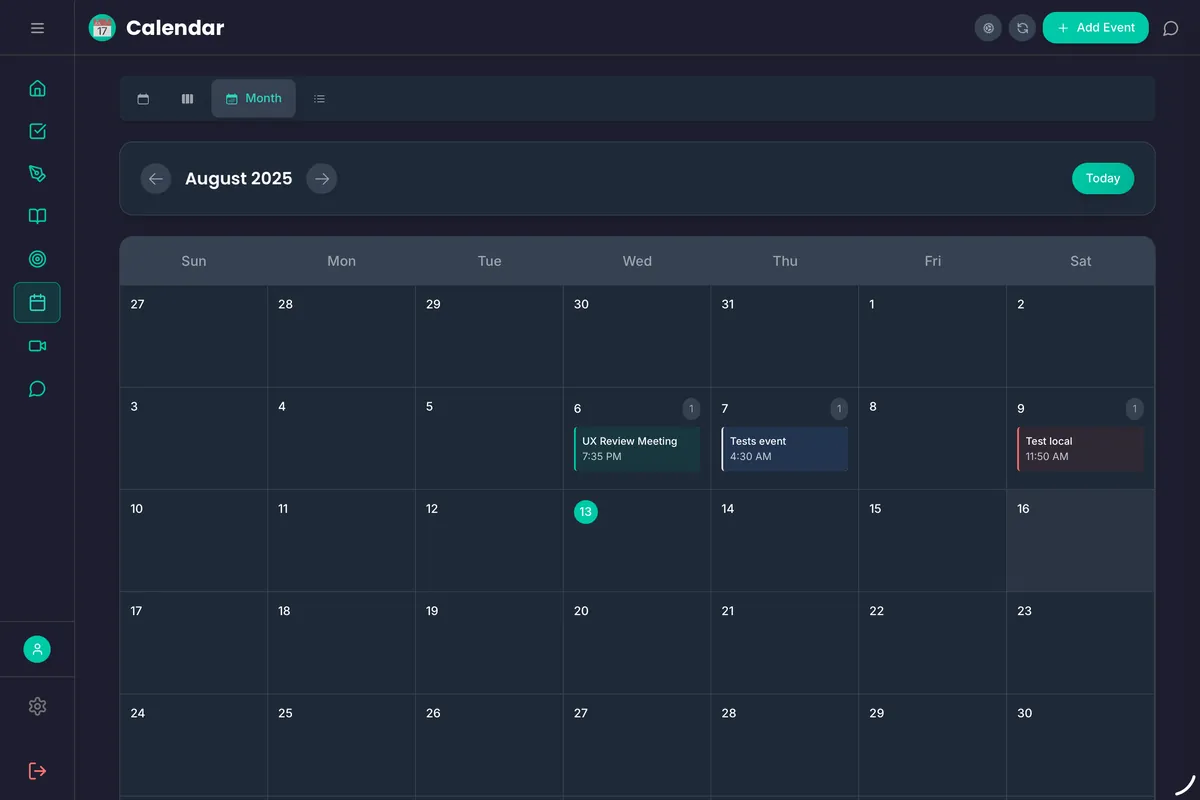
FloHub syncs with Google Calendar, Microsoft Outlook, and iCal feeds so you always see the full picture — no more switching apps to check if your task fits in your day.
Free forever on the web · apps free for 30 days
Everything you need, nothing you don't.
Two-way Google & Outlook Sync
Create, edit and delete Google and Outlook events from FloHub, and changes flow both ways. iCal and Power Automate feeds show alongside, read-only.
Multi-Calendar Support
Connect multiple calendars — personal, work, family — and see them all in one clean view with color-coded layers.
Task + Event Overlay
See your tasks alongside calendar events on the same timeline. Know exactly how much time you actually have.
Smart Reminders
Get reminded at the right time based on your task deadlines and calendar context. No more manual reminder setup.
Day & Week View
Switch between day and week views to plan short-term and scan ahead. FloCat can suggest how to fill open slots.
Always Up to Date
Calendars refresh automatically, so when a meeting moves your planning window moves with it.
Every calendar on your phone, in one timeline — only in the app.
Everything on the web stays free. The apps add the things a browser can't do:
- Your phone's calendarsiCloud, Exchange and any account already on your phone show up automatically.
- Work ModeWork calendars in work hours, home calendars after — switching on your schedule.
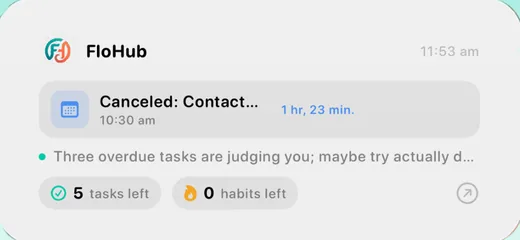
- Next event at a glanceYour next meeting and time-until on the Home and Lock Screen.
- Event remindersPush notifications before events, alongside your tasks.
30-day free trial

Why connect your calendar to FloHub?
Stop planning in a vacuum
Most to-do apps don't know what's already on your plate. FloHub syncs your calendar so when FloCat suggests tasks, it knows your actual available time — not just your wishlist.
One place for everything
Instead of checking your task app, then your calendar, then your notes — FloHub shows all three in one focused workspace. Your morning planning takes two minutes, not twenty.
Works with the apps you already use
FloHub doesn't ask you to abandon Google Calendar or Outlook. It reads your existing calendars and layers your tasks on top, so switching to FloHub is seamless.
Never double-book yourself again
When you schedule a task, FloHub checks your calendar for conflicts. You always know if there's actually room in your day before committing.
Built for real workflows
For busy professionals
Keep client calls, project deadlines, and personal commitments all in one view. FloHub shows what's on your plate and what you can realistically tackle today.
For remote workers
See standups, reviews, and async tasks on the same timeline. Plan deep work blocks around your meeting schedule without switching between apps.
For students
Layer class schedules, assignment deadlines, and study blocks into one view. Know at a glance when you have free time and what needs doing.
Connect your calendar today
Free forever on the web. Add the iPhone & Android apps — free for 30 days — to bring in your phone's calendars and Work Mode.
30-day free trial